Notice: Function _load_textdomain_just_in_time was called incorrectly. Translation loading for the acf domain was triggered too early. This is usually an indicator for some code in the plugin or theme running too early. Translations should be loaded at the init action or later. Please see Debugging in WordPress for more information. (This message was added in version 6.7.0.) in /home/u289084059/domains/jabbla.bytebite.be/public_html/wp-includes/functions.php on line 6260

Notice: Function _load_textdomain_just_in_time was called incorrectly. Translation loading for the simple-lightbox domain was triggered too early. This is usually an indicator for some code in the plugin or theme running too early. Translations should be loaded at the init action or later. Please see Debugging in WordPress for more information. (This message was added in version 6.7.0.) in /home/u289084059/domains/jabbla.bytebite.be/public_html/wp-includes/functions.php on line 6260

Notice: Function _load_textdomain_just_in_time was called incorrectly. Translation loading for the invisible-recaptcha domain was triggered too early. This is usually an indicator for some code in the plugin or theme running too early. Translations should be loaded at the init action or later. Please see Debugging in WordPress for more information. (This message was added in version 6.7.0.) in /home/u289084059/domains/jabbla.bytebite.be/public_html/wp-includes/functions.php on line 6260

Notice: Function _load_textdomain_just_in_time was called incorrectly. Translation loading for the wordpress-seo domain was triggered too early. This is usually an indicator for some code in the plugin or theme running too early. Translations should be loaded at the init action or later. Please see Debugging in WordPress for more information. (This message was added in version 6.7.0.) in /home/u289084059/domains/jabbla.bytebite.be/public_html/wp-includes/functions.php on line 6260
ElevenLabs stemmen toevoegen aan Mind Express 5 - Jabbla

Notice: Undefined variable: faqcat_selected in /home/u289084059/domains/jabbla.bytebite.be/public_html/wp-content/themes/jabbla/single-faq.php on line 31

Notice: Undefined variable: faqcat_selected in /home/u289084059/domains/jabbla.bytebite.be/public_html/wp-content/themes/jabbla/single-faq.php on line 31

Notice: Undefined variable: faqcat_selected in /home/u289084059/domains/jabbla.bytebite.be/public_html/wp-content/themes/jabbla/single-faq.php on line 31

Notice: Undefined variable: faqcat_selected in /home/u289084059/domains/jabbla.bytebite.be/public_html/wp-content/themes/jabbla/single-faq.php on line 31

Notice: Undefined variable: faqcat_selected in /home/u289084059/domains/jabbla.bytebite.be/public_html/wp-content/themes/jabbla/single-faq.php on line 31

Notice: Undefined variable: faqcat_selected in /home/u289084059/domains/jabbla.bytebite.be/public_html/wp-content/themes/jabbla/single-faq.php on line 31

Notice: Undefined variable: faqcat_selected in /home/u289084059/domains/jabbla.bytebite.be/public_html/wp-content/themes/jabbla/single-faq.php on line 31

Notice: Undefined variable: faqcat_selected in /home/u289084059/domains/jabbla.bytebite.be/public_html/wp-content/themes/jabbla/single-faq.php on line 31

Notice: Undefined variable: faqcat_selected in /home/u289084059/domains/jabbla.bytebite.be/public_html/wp-content/themes/jabbla/single-faq.php on line 31

Notice: Undefined variable: faqcat_selected in /home/u289084059/domains/jabbla.bytebite.be/public_html/wp-content/themes/jabbla/single-faq.php on line 31

Notice: Undefined variable: faqcat_selected in /home/u289084059/domains/jabbla.bytebite.be/public_html/wp-content/themes/jabbla/single-faq.php on line 31

Notice: Undefined variable: faqcat_selected in /home/u289084059/domains/jabbla.bytebite.be/public_html/wp-content/themes/jabbla/single-faq.php on line 31

Notice: Undefined variable: faqcat_selected in /home/u289084059/domains/jabbla.bytebite.be/public_html/wp-content/themes/jabbla/single-faq.php on line 31

Notice: Undefined variable: faqcat_selected in /home/u289084059/domains/jabbla.bytebite.be/public_html/wp-content/themes/jabbla/single-faq.php on line 31

Notice: Undefined variable: faqcat_selected in /home/u289084059/domains/jabbla.bytebite.be/public_html/wp-content/themes/jabbla/single-faq.php on line 31

Notice: Undefined variable: faqcat_selected in /home/u289084059/domains/jabbla.bytebite.be/public_html/wp-content/themes/jabbla/single-faq.php on line 31

Notice: Undefined variable: faqcat_selected in /home/u289084059/domains/jabbla.bytebite.be/public_html/wp-content/themes/jabbla/single-faq.php on line 31

Notice: Undefined variable: faqcat_selected in /home/u289084059/domains/jabbla.bytebite.be/public_html/wp-content/themes/jabbla/single-faq.php on line 31

Notice: Undefined variable: faqcat_selected in /home/u289084059/domains/jabbla.bytebite.be/public_html/wp-content/themes/jabbla/single-faq.php on line 31

Notice: Undefined variable: faqcat_selected in /home/u289084059/domains/jabbla.bytebite.be/public_html/wp-content/themes/jabbla/single-faq.php on line 31

Algemeen

Spraakcomputers

Woordenschatten

Software

ElevenLabs stemmen toevoegen aan Mind Express 5

Sinds update 5.5.0.1276 van Mind Express 5 kan je gebruik maken van ElevenLabs stemmen. Jabbla neemt deel aan het Impact Programma van ElevenLabs. Dit is erop gericht om mensen die gebruikmaken van communicatie-toestellen en -software een gratis ElevenLabs Pro licentie aan te bieden. Je moet een geldige Mind Express 5 licentie hebben en minstens 18 jaar zijn om deel te kunnen nemen aan het Impact Programma. De ElevenLabs Pro licentie is 5 jaar geldig en zal nadien gratis verlengd kunnen worden. Alle informatie over hoe je het Impact Programma aanvraagt vind je op de FAQ-pagina: ElevenLabs aanvragen.


Op deze FAQ-pagina leggen we stap voor stap uit hoe je jouw ElevenLabs stem(men) kan toevoegen aan Mind Express 5. Hiervoor moeten we een koppeling maken tussen ElevenLabs en Mind Express 5 via een API key.


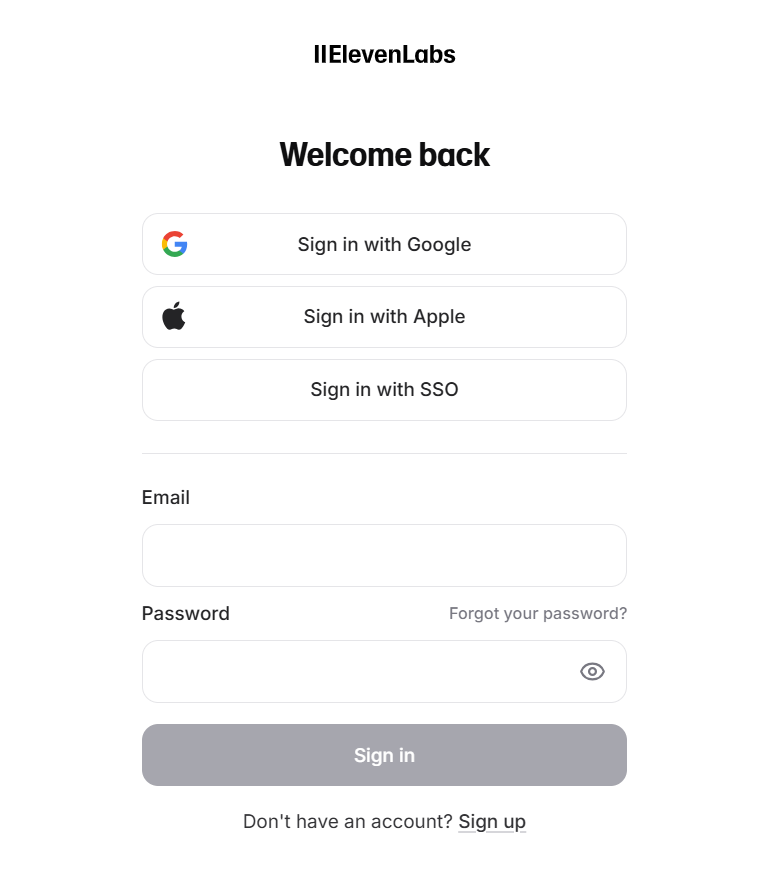
Stap 1: Open de ElevenLabs website https://elevenlabs.io/app/home en log in met je account.
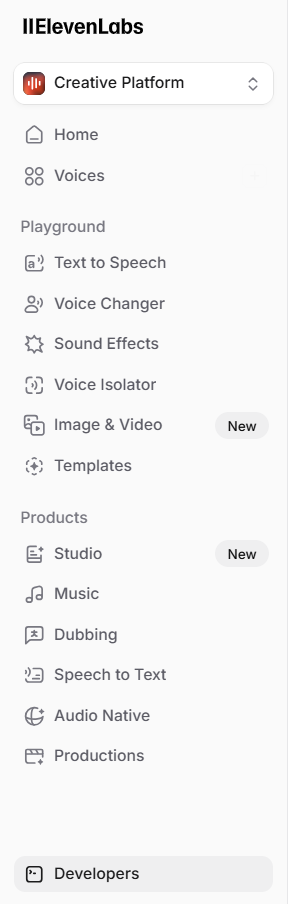
Stap 2: Selecteer de optie “Developers” in het menu links onderaan.
Stap 3: Kies vervolgens voor de optie “API Keys”. Of gebruik deze link om er te geraken: https://elevenlabs.io/app/developers/api-keys.
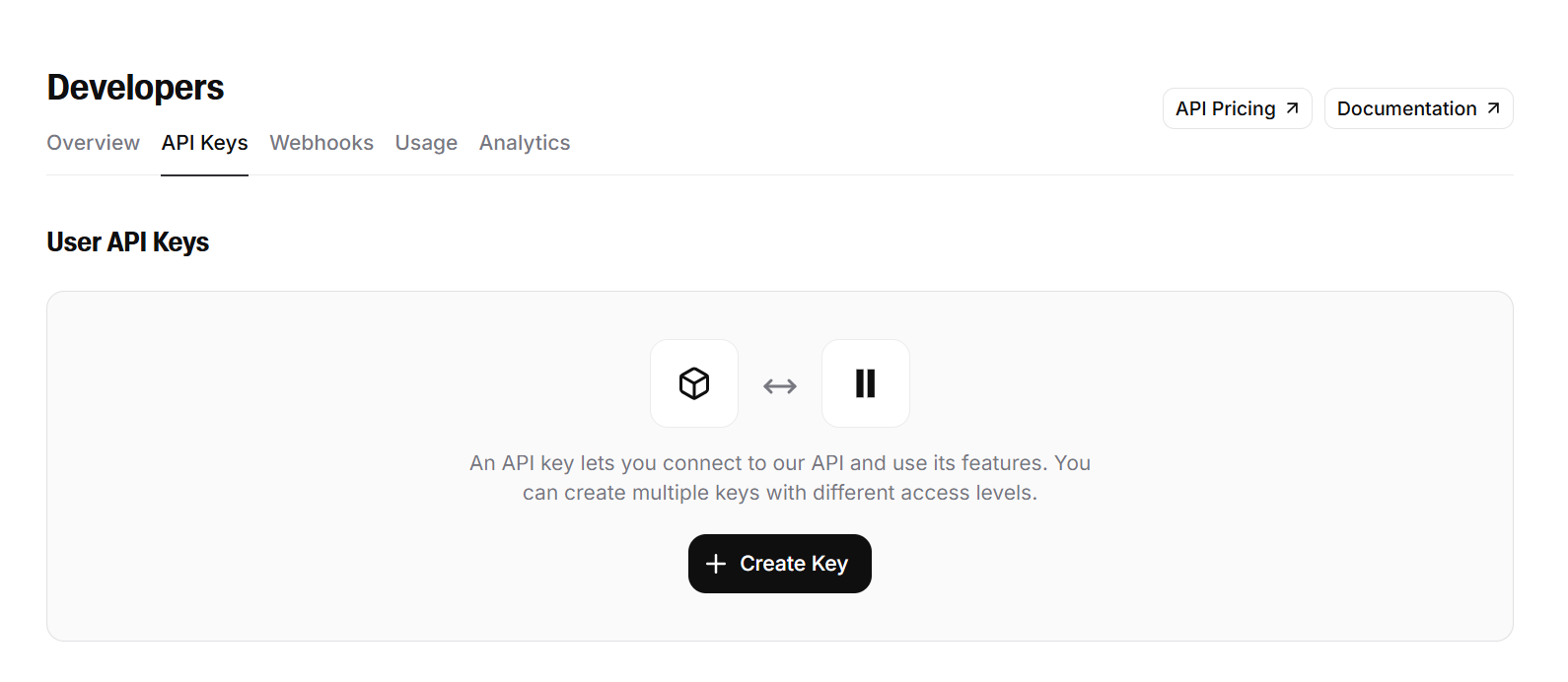
Stap 4: Klik op “Create key” om een API key aan te maken.

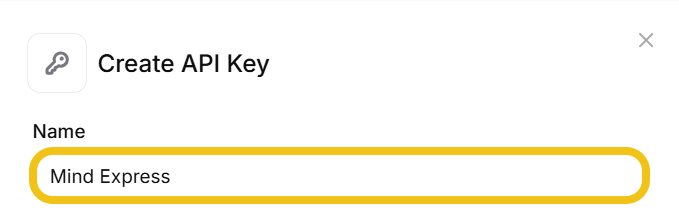
Stap 5: Geef de API key een passende naam, b.v. Mind Express.
Stap 6: Zorg dat “Restrict Key” aan staat en stel de volgende instellingen in:

a: Text to Speech: Access

b: Voices: Read

c: Models: Access

d: User: Read
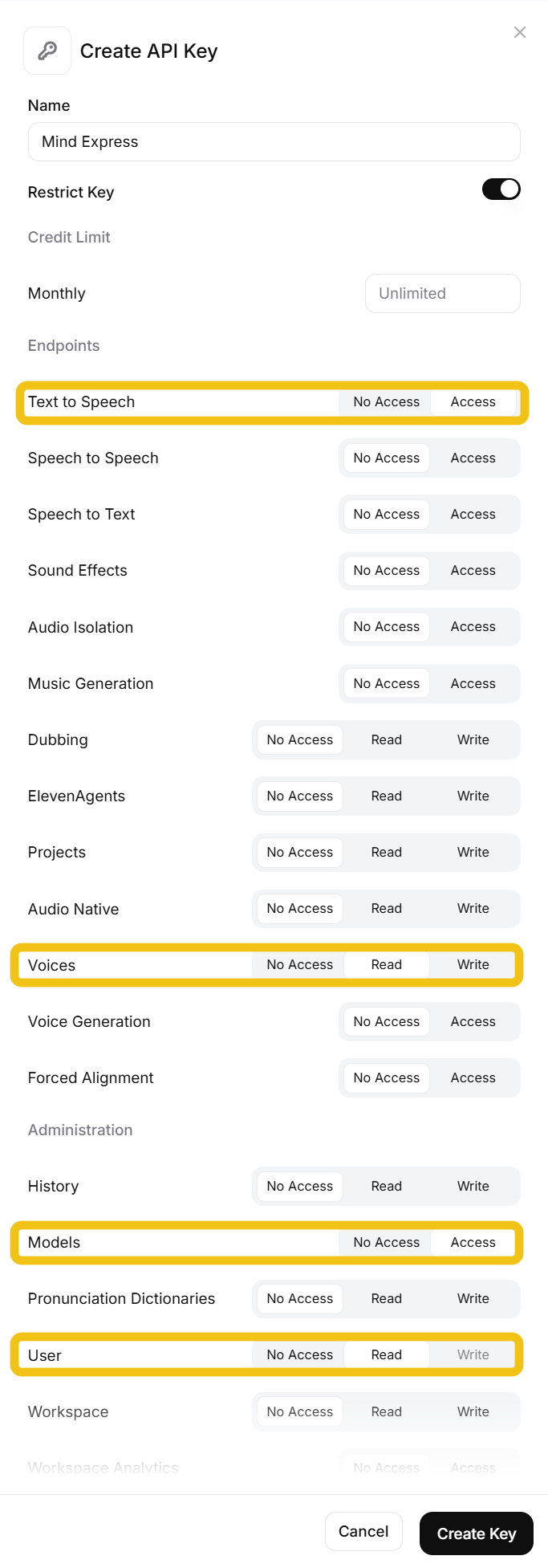
Stap 7: Klik vervolgens op “Create Key”.

Stap 8: Kopieer de API key naar het klembord via de knop “copy to clipboard”. Je kan het ook kopiëren met ctrl + c. Je kan later de API nog kopiëren via dezelfde weg: Developers > API keys > zoek naar de naam die je jouw key hebt gegeven.
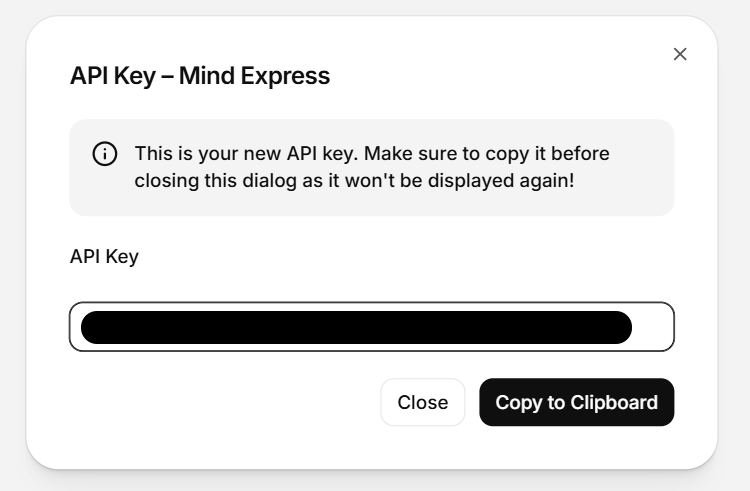
Stap 9: Start Mind Express 5 op. Ga vervolgens naar het profiel waaraan je de ElevenLabs stem(men) wilt toevoegen.

Stap 10: Ga naar Menu > Instellingen > Spraak en taal. Ga naar de ElevenLabs instellingen. Plak de API key bij de ElevenLabs authorisatiesleutel. Bevestig via de ‘importeer’-knop.

Stap 11: Normaal krijg je een pop-up met de bevestiging dat er x aantal stemmen zijn toegevoegd aan Mind Express.
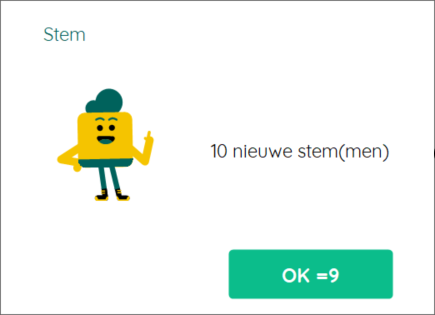
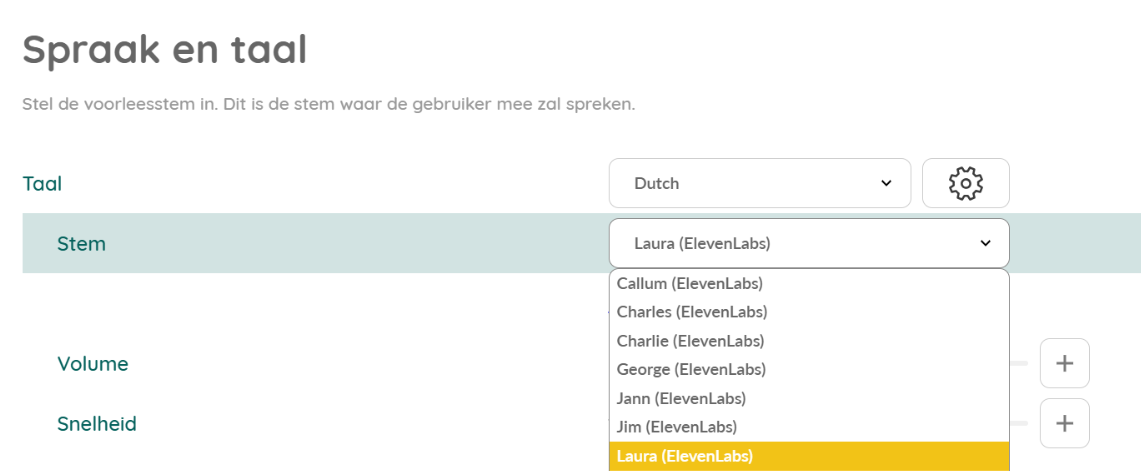
Stap 12: Je kan nu de ElevenLabs stemmen kiezen tussen de andere stemmen bij de steminstellingen.


Meer info over hoe je jouw eigen stem kan klonen in ElevenLabs lees je in deze FAQ.


Notice: ob_end_flush(): failed to send buffer of zlib output compression (1) in /home/u289084059/domains/jabbla.bytebite.be/public_html/wp-includes/functions.php on line 5581

Notice: ob_end_flush(): failed to send buffer of zlib output compression (1) in /home/u289084059/domains/jabbla.bytebite.be/public_html/wp-includes/functions.php on line 5581